首先我们用ref绑定一个 scrollbar
<el-scrollbar style="height: 100%;" ref="chatScrollRef" @scroll="scrollTest">用scroll触发滚动事件,一路滚到最底下,观察三个属性
const scrollTest = ({scrollTop}) => {
  console.log(scrollTop);
  const wrap = chatScrollRef.value?.wrapRef
  if (wrap) {
    console.log("------" + wrap.scrollHeight);
    console.log("++++++" + wrap.clientHeight);

  }
}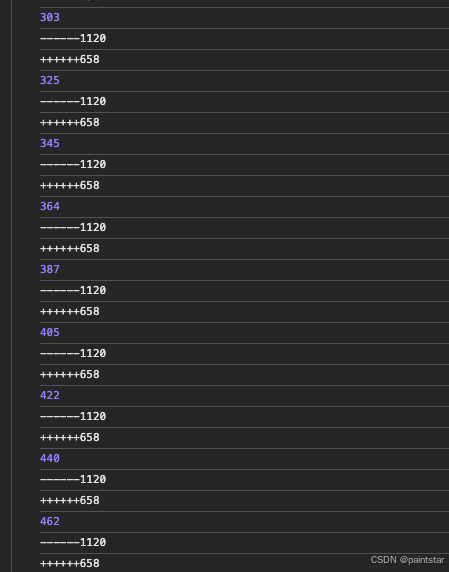
得出结论,当 scrollTop + clientHeight = scrollHeight 的时候,滚动条会达到最低端
1. 得到滚动条距离顶端高度
先绑定ref
const wrap = chatScrollRef.value?.wrapRef
console.log(wrap.scrollTop);
2. 将滚动条调整在最低端
先绑定ref
const scrollToBottom = () => {
    const wrap = chatScrollRef.value?.wrapRef
    if (wrap) {
      wrap.scrollTop = wrap.scrollHeight - wrap.clientHeight
    }
  })
✳
谢谢你读到这里。
更新于 2025-05-18